
Free Online Tools Every South African Small Business Should Know About
Running a small business involves more than finding customers. These practical tools can help you handle invoices, expenses, pricing, jobs, online visibility and customer communication without immediately adding another monthly subscription.
On this page
A small-business owner can be the salesperson, admin person, bookkeeper, marketer and customer-service team all in the same afternoon.
One minute you're quoting a customer.
Then you're looking for an invoice.
Then someone asks what a job will cost.
Then you realise you haven't recorded last week's fuel expense.
Then another customer wants directions.
The problem is not always a lack of effort.
Sometimes you simply need better tools.
The good news is that useful digital tools do not always have to start with an expensive software subscription. There are free online tools that can help South African SMEs handle everyday tasks more consistently, especially while the business is still growing.
Quick answer
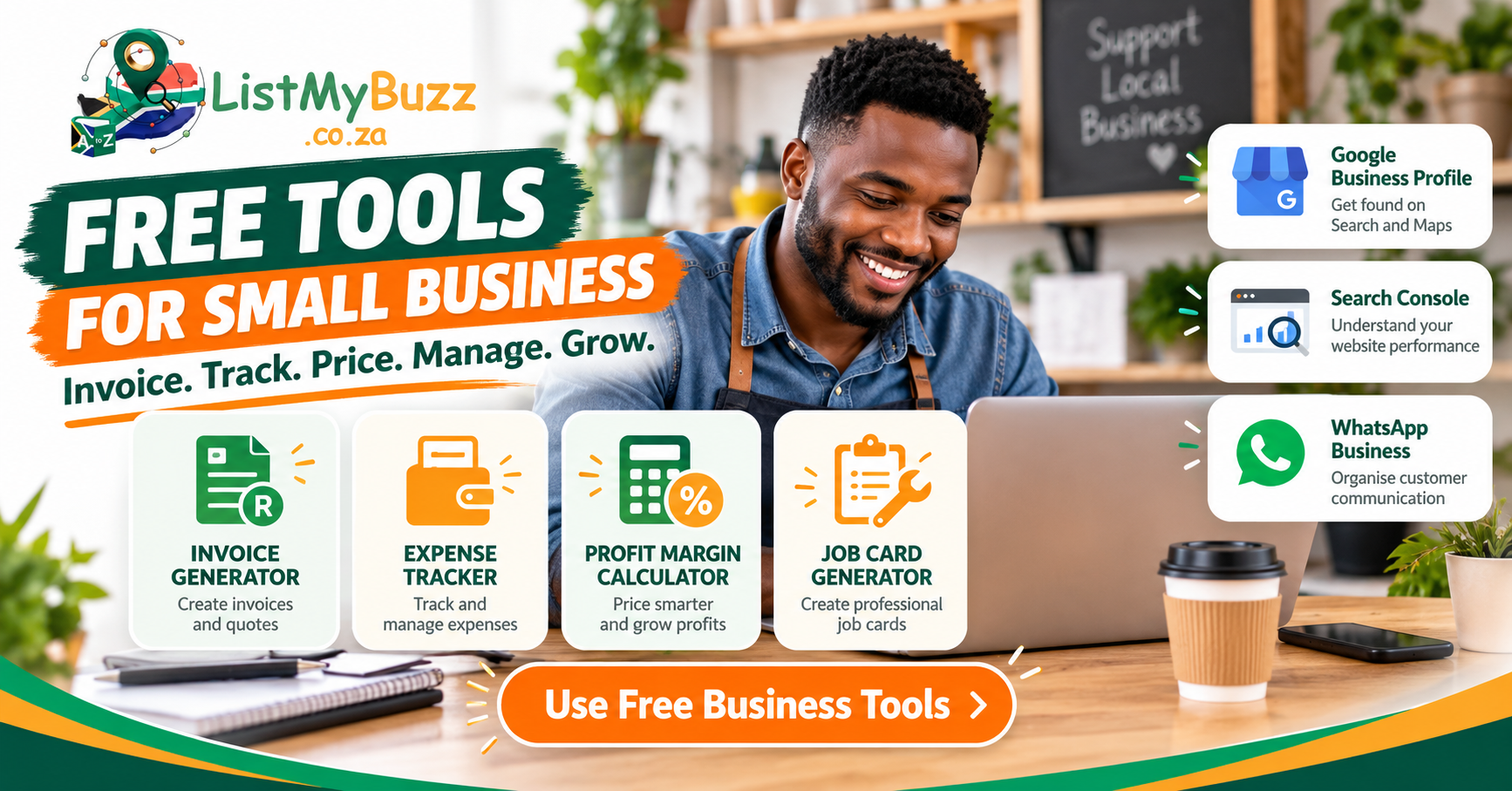
Seven useful tools worth knowing about are:
They solve different problems. You do not need to adopt all seven at once.
Start with the problem wasting the most time in your business today.
Which tool solves which problem?
| Business problem | Tool to consider |
|---|---|
| I need to create an invoice or quote | ListMyBuzz Invoice Generator |
| I keep losing track of expenses | ListMyBuzz Expense Tracker |
| I don't know whether my price gives me enough margin | ListMyBuzz Profit Margin Calculator |
| I need proper job sheets for staff or technicians | ListMyBuzz Job Card Generator |
| Customers struggle to find my local business on Google | Google Business Profile |
| I have a website but don't know how it performs in Google Search | Google Search Console |
| Customers contact me constantly on WhatsApp | WhatsApp Business |
The important part is matching the tool to the task. A sophisticated system that you never use is less helpful than a simple tool that solves a real problem every week.
1. Free Invoice Generator
For many small businesses, invoicing starts in a Word document. Then someone copies the old invoice, changes the customer name and hopes they remembered to update everything else.
That may work at the beginning, but mistakes become easier as the business gets busier.
The ListMyBuzz Free Invoice Generator currently provides fields for business and client details, invoice or quotation information, line items, discounts, VAT settings, banking details, notes and display options.
When is it useful?
It can be helpful for:
You can use it when you need to prepare a more structured document without first building an invoice template from scratch.
What should you prepare before creating an invoice?
Keep your approved information together:
That prevents you from retyping important information differently each time.
Important VAT note
Do not treat an invoice generator as tax advice. SARS requires VAT tax invoices to contain prescribed information, and VAT-related invoice obligations apply to registered vendors. Businesses should make sure their documents match their actual registration status and current SARS requirements. If you are unsure whether your invoice meets the relevant requirements, check current SARS guidance or speak to an appropriately qualified accounting or tax professional.
2. Small Business Expense Tracker
Money leaves a business in many small amounts.
If you do not record expenses as they happen, it is easy to forget them. ListMyBuzz's approved tool map includes a Free Expense Tracker designed to log business expenses, provide a basic profit view and export records.
Why track expenses regularly?
Expense tracking can help you answer practical questions such as:
It also helps when you need to organise supporting records. SARS says proper record keeping helps taxpayers support what is declared in tax returns, and records such as invoices, receipts and other documents may need to be retained for prescribed periods. Its current general record-keeping guidance states that many records must be kept for five years from submission of the relevant return, subject to circumstances such as audits or disputes.
The tracker is not the receipt
Recording "Fuel, R850" does not necessarily replace the underlying supporting document you may need for accounting or tax purposes. Keep the actual receipt, invoice or supporting document where required.
The tracker helps organise information. It does not replace your legal record-keeping obligations.
Keep the actual receipt, invoice or supporting document where required. The tracker helps organise information; it does not replace your legal record-keeping obligations.
3. Profit Margin Calculator
One of the most dangerous pricing habits in a small business is:
My competitor charges R500, so I'll charge R450.
That tells you nothing about whether R450 works for your business. Your costs may be different.
The ListMyBuzz Profit Margin Calculator currently lets you enter a cost price and selling price to calculate gross profit per unit, profit margin and markup. It also includes optional fixed monthly costs and expected sales quantities for a simple break-even and projection view.
Margin and markup are not the same thing
This causes confusion for many business owners. Imagine:
Cost price: R100
Selling price: R150
Your gross profit is: R50
Your markup is calculated against your cost.
Your margin is calculated against your selling price.
They are related, but they are not the same percentage. The calculator can help you see both without manually working through the formulas each time.
Where can this help?
Consider using it when:
What it cannot tell you
A calculator cannot decide whether the market will accept your price. It also cannot automatically account for every indirect business cost unless you enter the relevant figures.
Treat it as a decision-support tool, not a guarantee that a particular price will make the business profitable.
A calculator cannot decide whether the market will accept your price. Treat it as a decision-support tool, not a guarantee that a particular price will make the business profitable.
4. Free Job Card Generator
Job cards become useful when a business has to turn a customer request into actual work. Someone needs to know:
The ListMyBuzz Job Card Generator currently supports business and client details, site addresses, job descriptions, priority and status information, assigned staff, materials, instructions, completion notes and signature fields. It can also be printed or saved as a PDF.
Which businesses could use job cards?
Examples include:
Why is a structured job card useful?
Imagine telling a technician:
Go to the customer in Midrand and fix the aircon.
Now compare that with:
Client: ABC Projects
Site: Midrand
Job: Service two office air-conditioning units
Assigned to: Technician name
Priority: Normal
Instructions: Call site contact before arrival
Materials: Filters if required
Due date: Friday
The second version gives the person doing the work much more context. A job card does not replace a proper field-service system when your operation becomes complex. But it can provide useful structure before you reach that stage.
5. Google Business Profile
Not every useful small-business tool is an admin tool. Some help customers find and understand the business.
For eligible businesses, Google Business Profile can be added or claimed at no charge. Google says the profile lets businesses manage how information such as opening hours, websites, phone numbers and locations appears across Google Search and Maps. Businesses can also add photos and interact with customers through supported features.
Who should consider it?
It is particularly relevant to eligible:
Google's eligibility rules apply, so online-only businesses should not assume they qualify.
Keep the profile accurate
Check:
A Google Business Profile is also not a replacement for every other online presence. Your website, ListMyBuzz profile and relevant social channels can serve different purposes.
6. Google Search Console
If your business has a website, Google Search Console is worth knowing about.
Google describes Search Console as a free service that helps website owners monitor, maintain and troubleshoot their presence in Google Search. It can show information about search queries, indexing issues, clicks, impressions and other search-performance data.
What can a small-business owner use it for?
You can use it to investigate questions such as:
It can also alert verified site owners when Google identifies certain issues.
What Search Console does not do
It does not guarantee rankings.
Submitting a website or page does not mean Google has to rank it first, or rank it at all for a particular query. Use the data to understand your site better, not as a promise of search results.
It does not guarantee rankings. Submitting a website or page does not mean Google has to rank it first, or rank it at all for a particular query. Use the data to understand your site better, not as a promise of search results.
7. WhatsApp Business
Many South African businesses already communicate with customers through WhatsApp. If that is part of your customer journey, the separate WhatsApp Business app is worth understanding.
WhatsApp currently describes the Business app as free to download for Android and iPhone. It includes features such as a business profile and messaging tools intended to help businesses organise and respond to customer communication.
A business profile can help organise information
Depending on the current app features available to you, business information may include things such as:
WhatsApp also provides tools intended to help organise or respond to incoming conversations.
Keep expectations realistic
WhatsApp Business does not automatically make customer service good.
Someone still has to:
The tool provides structure. Your process still matters.
Also remember that the free-to-download WhatsApp Business app is different from Meta's broader WhatsApp Business Platform and other business services, which can have different functionality and commercial arrangements.
A useful starter stack for different businesses
You do not need the same toolkit as everyone else.
Solo consultant
Plumber or electrician
Small retailer
Business with a website
Free tools are useful, but don't create a messy system
The danger of free software is not usually the price. It is fragmentation.
You can eventually end up with:
That may still work for a very small operation. But as the business grows, ask:
There comes a point where a business may benefit from more integrated systems. ListMyBuzz's broader Growth Tools offering is designed around areas such as customer communication, bookings, follow-up, CRM workflows and automation where configured.
Start simple. Add complexity only when it solves a real problem.
Do free tools mean there are no costs at all?
Not necessarily. "Free tool" can mean different things.
A tool may be:
Check the current terms before building an important business process around any platform. For the ListMyBuzz tools discussed in this article, the approved business overview positions the invoice generator, expense tracker, profit margin calculator and job card generator as free practical business tools. External platforms can change their features or commercial models over time.
Be careful with financial and tax information
Free tools can help organise information and perform calculations. They do not automatically make your business compliant. For example:
An invoice generator does not determine your VAT registration obligations.
An expense tracker does not decide whether a particular expense is deductible.
A margin calculator does not calculate every tax or indirect business cost.
SARS requires businesses and taxpayers to maintain appropriate records, and VAT vendors have specific invoicing and record-keeping obligations. When the issue affects tax, accounting or legal compliance, use current SARS guidance and qualified professional advice where necessary.
How to choose the right free tool
Before signing up for another platform, ask five questions.
Does it solve a real problem?
Do not adopt software because it looks impressive. Identify the job first.
Will you actually use it?
The best tool is often the one that fits naturally into your routine.
Can you export or keep your information?
Think about what happens if you change systems later.
Does it handle sensitive information appropriately?
Be especially careful with customer information, financial information, identity details and employee information.
Can it grow with you?
You may start with a simple generator. Later you may need CRM, automated follow-up, scheduling, integrated invoicing, staff access or reporting. You do not have to buy those systems today. You should simply know when your current process has reached its limit.
A simple 30-minute digital admin cleanup
You can start improving your systems today.
First 5 minutes
Write down the three repetitive admin tasks that frustrate you most. Examples: creating invoices, recording expenses, calculating prices.
Next 10 minutes
Choose one tool that addresses the biggest problem. Do not set up seven tools at once.
Next 10 minutes
Add your correct business information. Test the tool with a real example.
Final 5 minutes
Decide: Who will use it? When should it be used? Where will generated documents be stored? That final step matters. A tool becomes useful when it becomes part of a process.
Frequently asked questions
The bottom line
The bottom line
Small businesses do not need complicated software for every task. Sometimes you need a quick way to:
Create an invoice.
Record an expense.
Check your margin.
Create a job card.
Manage your Google profile.
Understand your website's search performance.
Communicate with customers more clearly.
Start with the tools that solve today's problems.
Build simple processes around them.
Then upgrade your systems when the business genuinely needs more integration, automation or reporting.
The goal is not to collect software. The goal is to make the business easier to run.
Start with a practical free business tool
Start with a practical free business tool
Choose the task you need help with today:
If your business is reaching the point where separate tools are becoming difficult to manage, you can also explore ListMyBuzz's communication, booking, follow-up and automation options.
Free tools can support everyday business administration, but they do not guarantee profitability, compliance, rankings, enquiries, customers or sales. Financial, tax and legal requirements should be checked against current official guidance and professional advice where appropriate.