
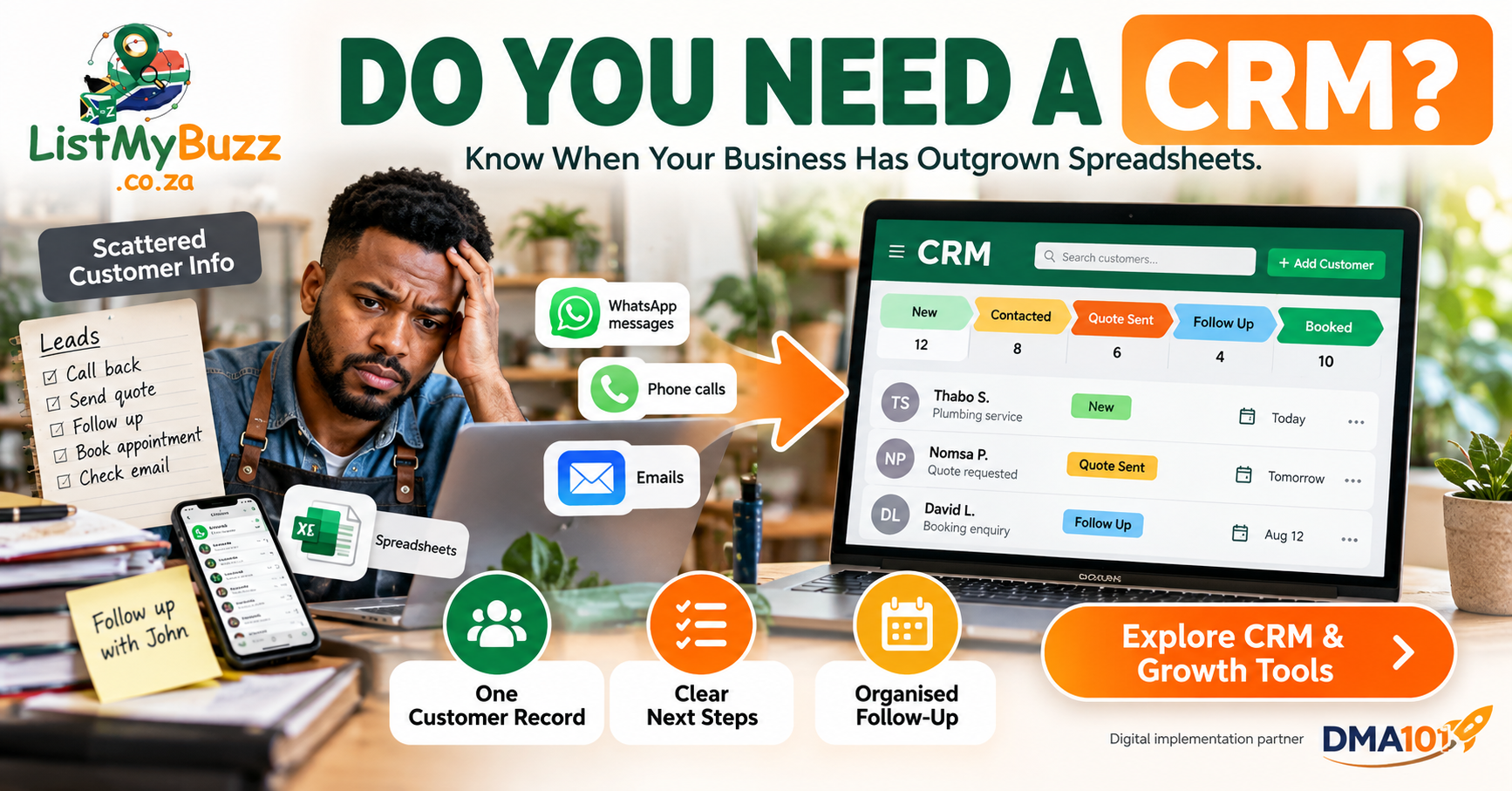
Your business receives an enquiry. You save the customer's number on your phone. Someone else emails asking for a quote. A third customer sends a WhatsApp message. You make a note to call them tomorrow.
Tomorrow becomes Friday.
Then someone asks: "Did anybody ever follow up with that customer?"
This is often the point where small-business owners start hearing the term CRM.
But do you actually need one?
Not necessarily.
If your business receives a small number of enquiries and you can manage them reliably with a spreadsheet, calendar and organised inbox, adding another system may create more work instead of less.
A CRM becomes useful when your customer information and follow-up process are becoming difficult to manage manually.
The important question isn't: "Does every small business need a CRM?"
It is: "Is our current way of managing customers still working?"
Quick answer
You probably don't need a CRM yet if you receive relatively few enquiries, one person handles them, follow-up is reliable and you can quickly see the status of every customer.
You should start seriously considering a CRM when customer information is scattered across phones, WhatsApp, email and spreadsheets, multiple people handle enquiries, quotes are forgotten, follow-up is inconsistent or you cannot easily tell what needs attention next.
A CRM is not magic software. At its simplest, it gives your business one organised place to keep customer information, interactions, opportunities, notes, tasks and next steps.
HubSpot defines customer relationship management software as technology that centralises customer information and interactions so businesses can manage relationships with prospects and customers more systematically.
What does CRM actually mean?
CRM stands for:
Customer Relationship Management
The term can refer to both the process of managing customer relationships and the software used to support that process.
Think about what happens from the moment someone first contacts your business. A customer might:
Send an enquiry, receive a reply, request a quote, ask questions, accept the quote, make a booking, become a customer, contact you again later
Without a central system, pieces of that journey may live in different places. The original enquiry may be in WhatsApp. The quote may be in email. The appointment may be in Google Calendar. Notes may be written on paper. The customer's number may only be saved on one employee's phone.
A CRM attempts to bring the important parts of that relationship into one structured record.
A CRM is more than a digital address book
Saving customer names and numbers is useful, but that is only contact management. A practical CRM can also help you track things such as:
CRM systems commonly combine contact management, opportunity or deal pipelines, interaction histories, tasks and workflow tools.
For a small business, the biggest benefit may simply be knowing: Who needs attention today?
Do you need a CRM if your spreadsheet works?
No.
There is nothing inherently unprofessional about a spreadsheet. For a new business receiving a small number of enquiries, a well-maintained spreadsheet can be perfectly sensible.
Imagine a solo electrician receiving six or seven enquiries a week. They record:
| Customer | Phone number | Area | Work required | Quote status | Next action |
|---|---|---|---|---|---|
| Thabo | 082 111 2222 | Benoni | Geyser repair | Sent | Follow up |
| Priya | 083 333 4444 | Boksburg | Lighting install | Pending | Prepare quote |
| Nomsa | 072 555 6666 | Kempton Park | Fault finding | Accepted | Schedule job |
If the owner consistently updates the sheet and nothing gets forgotten, there may be no urgent reason to migrate.
Technology should solve a problem. Don't adopt a CRM simply because other businesses use one.
Spreadsheet vs CRM
| Situation | Spreadsheet may still work | CRM may be more useful |
|---|---|---|
| Enquiry volume | Low | Increasing |
| Number of users | One person | Several people |
| Communication | One or two channels | Calls, WhatsApp, email, forms and social |
| Follow-up | Easy to remember | Regularly missed |
| Customer history | Simple | Multiple conversations and activities |
| Pipeline | Few open opportunities | Many quotes or opportunities |
| Tasks | Simple | Need ownership and reminders |
| Reporting | Basic totals | Need structured status and source tracking |
| Automation | Not needed | Repetitive actions are taking time |
| Team visibility | Not important | Everyone needs the same information |
Seven signs your business may be ready for a CRM
Customer information is scattered everywhere
One customer's details are in WhatsApp. Another is in someone's contacts. Another is in email. Another came through a website form. Someone wrote another number on a piece of paper.
This becomes increasingly difficult to manage as enquiry volume grows. A CRM gives you a central record where the team can see the important information.
You regularly forget to follow up
You send a quote on Monday. The customer says they'll think about it. Nobody sets a reminder. Three weeks later, someone remembers the conversation.
That does not mean the customer would definitely have bought from you. But it does mean the business had no reliable follow-up process.
A CRM can create tasks or workflows based on stages such as "Quote Sent, Follow-Up Due". ListMyBuzz's current Growth Tools include CRM workflows, email and SMS sequences, reminders and internal notifications intended to support more organised follow-up.
More than one person handles customers
A two-person company can already experience this problem. You receive the call. Your colleague prepares the quote. Another team member performs the job. The customer later sends you a WhatsApp asking a question.
Without a shared record, each person only knows part of the story. A CRM can create shared visibility.
Instead of asking: "Who spoke to this customer?" you can check the record.
You can't easily tell which enquiries are still open
Imagine you have 14 new enquiries, 8 quotes sent, 4 waiting for information, 6 appointments booked, and 3 customers who asked you to call next week.
Can you see that picture quickly? If not, a simple pipeline can help. For example:
You might also have closing statuses such as "Declined", "No Response", and "Not Suitable". The exact stages depend on your business. A salon will have a different pipeline from a construction company.
Leads are sitting inside employees' personal phones
This can become a serious operational weakness. What happens when an employee goes on leave, loses their phone, leaves the business, forgets to reply, or handles an enquiry without telling anyone else?
Important customer relationships shouldn't depend entirely on one person's private device. A shared system can make customer information and responsibility clearer.
You keep doing the same admin manually
Perhaps every enquiry requires someone to send an acknowledgement, create a task, notify a salesperson, send a booking link, and set a follow-up reminder. These are repeatable actions.
Once the process is clearly defined, parts of it may be suitable for automation. The important phrase is: parts of it. Automation should support the customer journey rather than replace human judgment.
ListMyBuzz's current Growth Tools include lead follow-up workflows, booking integration, reminders, website lead capture and a unified inbox for selected communication channels.
You can't tell where enquiries come from
Customers may find you through Google, your website, ListMyBuzz, Facebook, advertising, referrals, or WhatsApp. If you're spending time or money on marketing, it is useful to know which channels are generating conversations.
A CRM can provide a consistent place to record enquiry sources, provided that your forms, workflows or team members capture the information correctly. A CRM cannot magically create accurate data. Its reporting is only as useful as the information going into it.
What should a small-business CRM contain?
You do not need hundreds of fields. Start with the information you genuinely use. A basic contact record might contain the customer's name, phone, email, enquiry source, service required, location, assigned team member, current status, notes and next action.
Your pipeline can then show where each active opportunity sits.
Simple CRM Pipeline
New
Contacted
Quote Sent
Follow-Up
Booked
Completed
That structure alone can make customer management easier to understand.
What a CRM should not become
A CRM can also fail. Sometimes the problem is not the software. It's how the system was designed.
Avoid turning it into a data-entry project
If staff need to complete 37 fields before saving a customer, they may stop using it. Collect information because it serves a purpose.
Avoid unnecessary stages
You probably don't need "New Lead Phase 1", "New Lead Phase 2", "Qualified Phase 1", and "Qualified Phase 2" unless those stages genuinely mean something in your process. Simple is often better.
Don't automate a broken process
If nobody knows what should happen after a quote is sent, automation won't solve the underlying confusion. First define the process. Then decide which parts technology can support.
Start with your customer journey before choosing software
Before shopping for a CRM, map the process you already have. A simple customer journey might be:
Customer Journey Map
Customer enquires
Business responds
Information collected
Quote sent
Follow-up
Customer accepts
Booking or job created
Work completed
Now ask:
Once you understand those answers, choosing a system becomes much easier.
A CRM does not have to replace everything
Businesses sometimes assume CRM implementation means throwing away every tool they already use. Not necessarily. A CRM may connect with other systems such as:
The purpose is often to make those channels feed into a more organised customer record rather than leaving each communication channel isolated. ListMyBuzz's current Growth Tools are built around this broader connected approach, including CRM workflows, customer communication, booking and follow-up.
What about WhatsApp?
WhatsApp can be extremely useful for customer communication. But WhatsApp alone is not necessarily a complete CRM. A conversation might tell you what a customer said. It doesn't automatically give your business a clear operational view of:
For a very small operation, that may not matter. As the business grows, the difference between communication and relationship management becomes more important.
Can CRM automation save time?
It can reduce repetitive administrative work when implemented appropriately. For example, a system could be configured so that when a website enquiry arrives it:
Creates or updates a contact: Customer details saved to a central record.
Records the enquiry source: Where the lead came from is logged automatically.
Notifies the relevant person: The right team member is alerted instantly.
Sends an acknowledgement: Customer receives an immediate confirmation.
Creates a follow-up task: A reminder is scheduled for the next action.
Places the enquiry in the appropriate pipeline stage: The opportunity is positioned correctly.
That doesn't mean the CRM has won the customer. It means the administration is more structured. ListMyBuzz specifically positions automation as a way to support follow-up consistency and reduce missed opportunities, not as a guarantee that a lead will convert.
When should you not automate?
Consider keeping a person involved when the conversation requires:
A customer asking: "What time do you close?" may be easy to handle through an automated response. A customer explaining a serious service failure may need a person.
The best systems usually combine structure and automation with human judgment.
What can ListMyBuzz Growth Tools support?
ListMyBuzz is positioned as a South African directory and growth platform, with a pathway from discovery into enquiries, booking, follow-up and customer communication. Its current Growth Tools page includes:
That means a business can start with its listing and customer-discovery presence, then explore more structured systems when enquiry handling becomes difficult.
The current AIO Elite Buzz package is positioned around more advanced enquiries, bookings, customer communication, follow-up and lead-management functionality. Current package features should always be checked on the live pricing page before purchase because package configurations can change.
How much CRM do you actually need?
You do not need the biggest system available. Think in stages.
Stage 1: Manual but organised
Stage 2: Basic CRM
Stage 3: Connected CRM
Stage 4: More advanced automation
The right stage is the one that solves today's problem without creating unnecessary complexity.
CRM and POPIA: customer information still needs protection
A CRM contains personal information. That may include names, phone numbers, email addresses, communication history and other customer information.
Using a CRM does not remove your responsibilities under South Africa's Protection of Personal Information Act. The Information Regulator states that organisations processing personal information must use reasonable technical and organisational safeguards to protect the confidentiality and integrity of that information.
That means you should think about matters such as access controls, staff permissions, passwords, device security and what information you actually need to retain.
Enquiry follow-up is not unlimited marketing permission
There is also an important distinction between responding to an enquiry and placing the person's details into ongoing marketing. The Information Regulator's current guidance explains that unsolicited electronic direct marketing is regulated under section 69 of POPIA, including requirements around consent and existing customer relationships.
Do not assume:
"They asked for a quote, so we can send them marketing forever."
Use customer information for appropriate purposes and obtain consent where required. For specific compliance questions, use current Information Regulator guidance or suitable professional advice.
How to choose a CRM for your small business
Before comparing platforms, ask whether the system can support the way your business actually works. The most important considerations are usually simplicity, mobile usability, contact management, pipeline tracking, tasks, communication integration, team access, automation options, reporting, data export, support and cost.
But there is one question above all of them:
Will your team actually use it?
The world's most sophisticated CRM is useless if everyone still records leads in private WhatsApp chats because the CRM is too complicated.
Run a simple CRM readiness test
Give yourself one point for each statement that describes your business:
| Statement | Score |
|---|---|
| Customer details are stored in several places | 1 |
| We sometimes forget follow-ups | 1 |
| More than one person handles enquiries | 1 |
| We cannot quickly see every open opportunity | 1 |
| Quotes sometimes receive no follow-up | 1 |
| Leads remain on employees' personal phones | 1 |
| We repeatedly enter the same customer information | 1 |
| We need reminders for bookings or appointments | 1 |
| We struggle to track enquiry sources | 1 |
| We need a shared customer communication history | 1 |
This isn't a scientific scoring model. It is simply a diagnostic prompt. If only one or two items apply, improve your manual process first. If several apply repeatedly, a CRM may be worth investigating.
What CRM implementation actually involves
Installing software is the easy part. Useful CRM implementation usually requires decisions about:
This is why a CRM project should begin with business processes rather than technology. You need to decide:
How should a customer move through our business?
Then configure the system around that process.
Where DMA101 can assist
Some businesses will be comfortable configuring their own tools. Others reach a point where the challenge is not choosing CRM software but connecting the entire digital customer journey.
Businesses that need a broader digital system can get professional support from DMA101. DMA101 currently provides CRM setup and workflow automation including lead pipelines, forms, tags, email and SMS automations, reminders, task flows and follow-up systems. Its broader services also include websites, lead capture, AI website chat, AI voice support and related digital systems.
This can be relevant when a business wants its website, enquiry form, CRM, follow-up and booking process to operate as one connected system rather than several unrelated tools.
DMA101 remains the implementation partner. ListMyBuzz remains the directory, discovery, listing and business-growth platform. That separation follows the approved ListMyBuzz brand positioning.
Frequently asked questions
The bottom line
The bottom line
You do not need a CRM simply because your business exists. You need a CRM when managing customer relationships manually starts creating unnecessary confusion.
If your spreadsheet works, keep using it.
If customer information is scattered, follow-up is slipping, multiple people are handling leads and nobody can quickly see what happens next, it may be time for something more structured.
A good CRM should help you answer:
Who is this customer?
What do they need?
What has already happened?
Who is responsible?
What happens next?
Start with the process.
Keep it simple.
Automate repetitive tasks only when they are clearly defined.
Protect customer information.
And add more technology only when the business genuinely needs it.
Ready to organise your customer follow-up?
Ready to organise your customer follow-up?
ListMyBuzz Growth Tools include CRM workflows, enquiry management, selected follow-up automation, booking tools and customer-communication features designed to support a more organised customer journey.
CRM systems, automation and customer-management tools do not guarantee enquiries, customers, sales or revenue. Results depend on demand, offer quality, pricing, implementation, customer response and how consistently the system is used.